

Summary
The communication detail view is where TruAgents stops being just a feed and starts becoming an operational investigation surface. The current product clearly treats a single communication as something with surrounding context, not just raw content. Depending on the channel and direction, the detail view may include:- thread history
- draft history
- delivery or event status
- tags
- contact and campaign context
- related run information
- identifiers and metadata
Who this is for
- Operators investigating live activity
- Campaign managers reviewing message outcomes
- Teammates debugging why a specific communication behaved a certain way
Where to find it in the app
- Communications
- Communication detail pages
- Campaign run and Contact history entry points
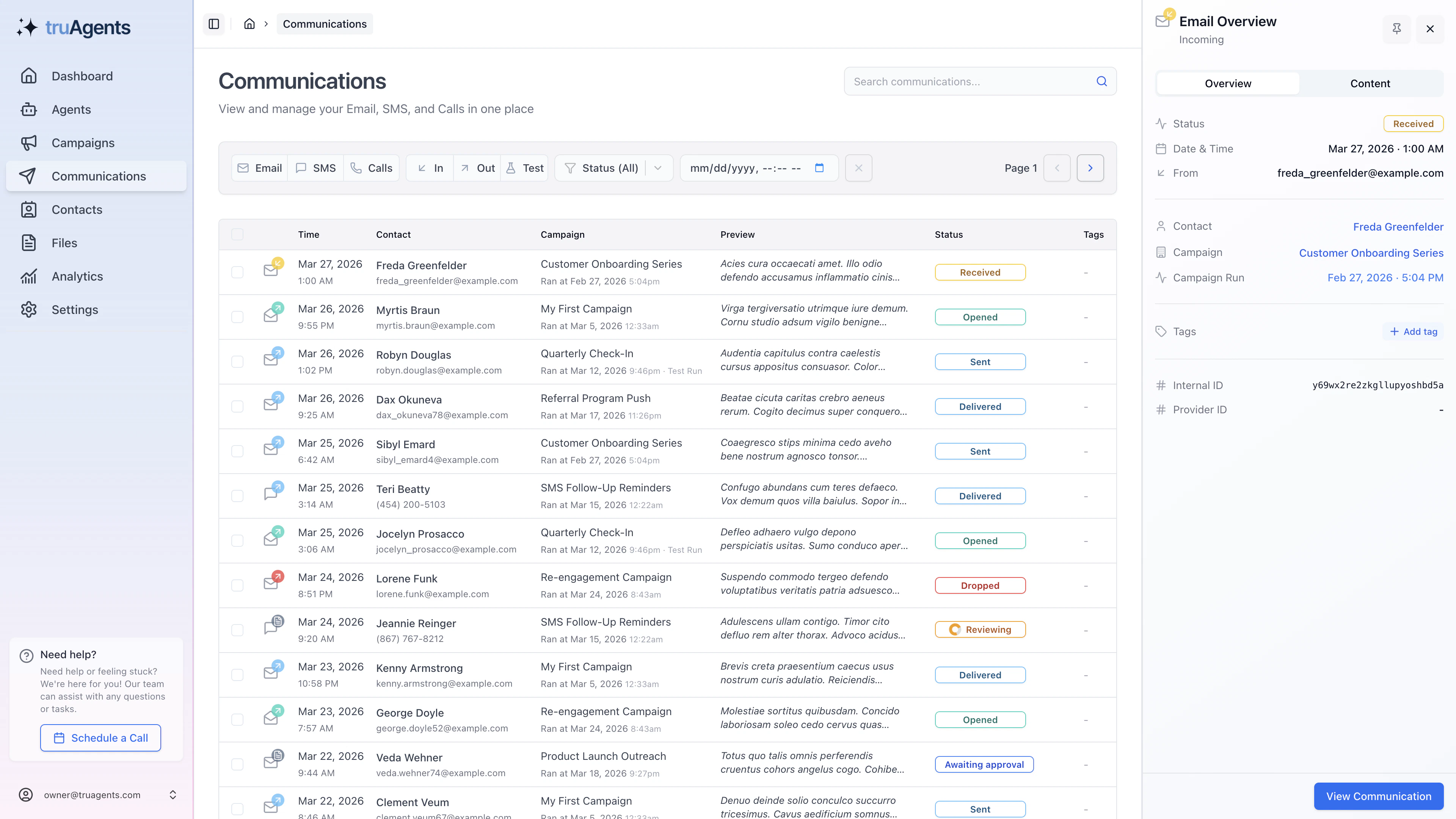
What the current detail view suggests
Main content area
The main column appears to handle the actual message or communication timeline, including thread context and, where relevant, draft-history context.Sidebar context
The sidebar appears to pull together the supporting operational data for the communication, including status, identifiers, campaign linkage, and contact-related information.Header actions
The detail header appears to expose action-oriented context such as reply or follow-up behavior and other communication-level controls.What this page should answer quickly
The detail view is most useful when it helps a teammate answer:- what actually happened
- who it involved
- whether this is part of a larger thread
- which campaign or run produced it
- whether the next step belongs in communications, campaigns, contacts, or setup
Practical review order
When a communication matters, review it in this order:- confirm what the communication actually is
- check whether it is inbound or outbound
- inspect thread context
- inspect draft or run context if relevant
- only then decide whether the issue is content, setup, contact data, or campaign design
The most useful contextual clues
The current product surfaces strongly suggest communication detail can reveal:- thread history
- campaign or run linkage
- draft influence
- tags
- identifiers and metadata
- contact-level context
Why this matters
Without this page, teams tend to treat communications as isolated rows in a table. The current app design is clearly trying to push users toward context-aware review instead.Example questions this page should answer fast
Common mistakes to avoid
- deciding too early that the message body alone explains the issue
- debugging campaign behavior without opening a real communication detail page
- ignoring thread context when the communication is clearly part of an ongoing exchange
Good investigation habits
- move from feed to detail before drawing conclusions
- treat tags and identifiers as supporting evidence, not noise
- use campaign and run links when the communication seems surprising
- check whether the contact context explains why this event happened
Success checklist
- Users know how to move from the Communications feed into a full detail review.
- Teams understand that thread context and draft context may both matter.
- Important campaign, contact, and identifier information can be checked without leaving the page blindly.
- Communication review does not stop at reading the message body.