

Summary
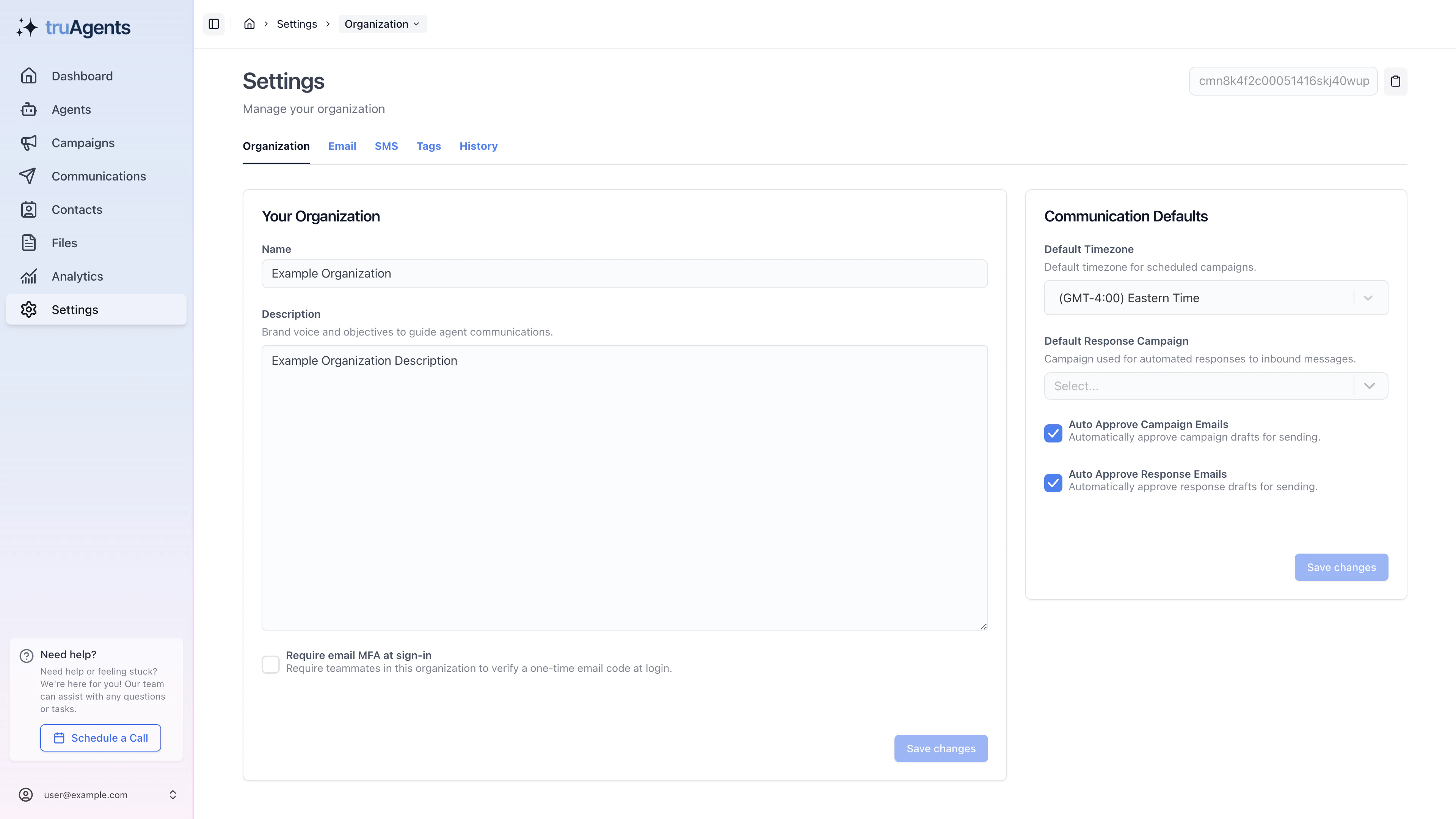
Organization settings are the base controls that affect how the workspace behaves before any single campaign or teammate makes a decision. The current app suggests this page covers both:- core organization identity
- communication defaults that influence later workflows
Who this is for
- Owners and admins
- Technical operators configuring workspace defaults
- Internal teammates validating account setup
Where to find it in the app
- Settings
What this area appears to include
Organization identity
The current UI shows editable organization-level fields such as:- name
- description
- slug
- MFA requirement
Communication defaults
The same settings area also appears to include defaults that shape later communications behavior, such as:- default timezone
- default response campaign
- auto-approval settings for campaign and response emails
Why this page matters more than it looks
These controls are deceptively high leverage because they affect downstream workflows without living inside those workflows. For example:- timezone affects how teams reason about timing
- response defaults affect how communication follow-up behaves
- auto-approval choices affect risk posture before a campaign ever runs
Recommended setup order
- confirm organization identity fields are correct
- set MFA expectations intentionally
- choose the default timezone the team will actually operate around
- review response-campaign defaults carefully
- set auto-approval conservatively until the team trusts output quality
The most important tradeoffs
Convenience vs. control
Auto-approval can reduce friction, but it can also remove a critical human checkpoint too early.Clean defaults vs. deferred cleanup
Timezone and response defaults feel harmless to postpone, but they often create confusion later if left vague.Organization-wide effect vs. single-workflow thinking
These are not one-off campaign settings. They are organization-level defaults, so changes here can affect how the broader team experiences the product.Why this matters early
These settings affect more than metadata. They influence how campaigns behave, how teams work across timezones, and how much manual review is required later.Recommended default-setting mindset
Example: early setup decision tradeoff
If the team is new to TruAgents and still learning draft quality:- a stricter approval posture is usually safer
- timezone should be set correctly right away
- response behavior should be treated as an intentional workflow choice, not a default nobody remembers setting
What to re-check after the first run
- whether auto-approval was too permissive or too restrictive
- whether the default timezone caused confusion in campaign timing
- whether the default response behavior matched how the team actually wants to operate
Common mistakes
- treating organization settings like basic profile metadata
- leaving timezone vague until campaign timing becomes confusing
- enabling auto-approval before the team trusts draft quality
- forgetting that default response behavior is a workflow decision, not a hidden detail
Success checklist
- Core organization details are correct.
- The team understands whether MFA is required for sign-in.
- Default timezone and response behavior are intentionally set.
- Auto-approval settings match the organization’s real risk tolerance.