

Summary
Tags give teams a reusable way to classify communications and contacts inside TruAgents. The current tags surface suggests tags are operational objects, not just decorative labels. They have types, colors, active states, counts, and separate creation flows for communications versus contacts.Who this is for
- Admins defining workspace taxonomy
- Operators who need reusable classification rules
- Internal teammates documenting how tags should be used consistently
Where to find it in the app
- Settings → Tags
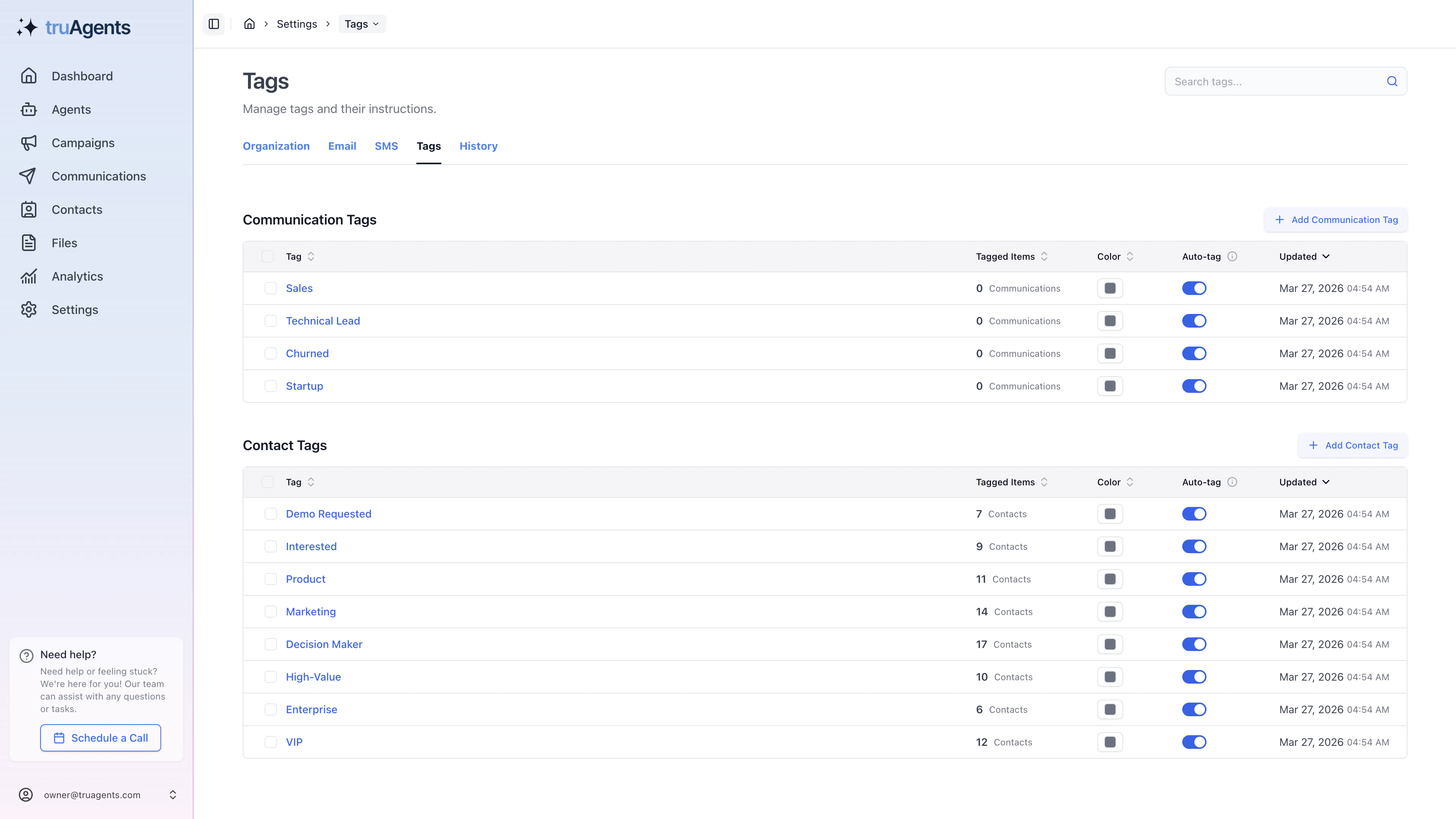
What the current tags page suggests
The current UI appears to support:- separate communication and contact tags
- tag color management
- active and inactive states
- search
- related-item counts
- bulk deletion
Why tag administration matters
Tags work best when they are treated as shared operational language. That means the admin job here is not only creating tags. It is keeping the tag system readable and consistent for everyone else who relies on it.Good tag design rules
- keep titles short and unambiguous
- use contact tags and communication tags for different jobs
- prefer reusable shared meanings over one-off personal shorthand
- retire or deactivate stale tags before they become clutter
What to review regularly
- duplicate or near-duplicate tags
- inactive tags that can be cleaned up
- tags with confusing names
- tags that are being used where a segment or other workflow would be more appropriate
Why this matters
Tags help teams create shared language around communications and contacts, which is especially important when multiple teammates are reviewing the same workflow data.Common mistakes
- using tags as a substitute for audience targeting logic
- creating many overlapping tags with slightly different names
- forgetting that communication tags and contact tags are separate concepts
- leaving obsolete tags active forever
Success checklist
- Tags use a consistent naming scheme.
- The team understands the difference between contact tags and communication tags.
- Inactive or obsolete tags can be identified and cleaned up.
- Tags are treated as reusable operational labels, not one-off clutter.