

Summary
Campaign setup is where the earlier setup work starts paying off. A campaign brings together:- the audience you want to reach
- the communication channel
- the instructions that shape the outreach
- the agents, templates, and supporting content that influence message behavior
Who this is for
- New customers launching a first controlled campaign
- Campaign managers and operators
- Internal teammates validating that setup work is complete enough to run
Where to find it in the app
- Campaigns
- Campaigns → Create
- Campaign Runs
- Goals
- Templates
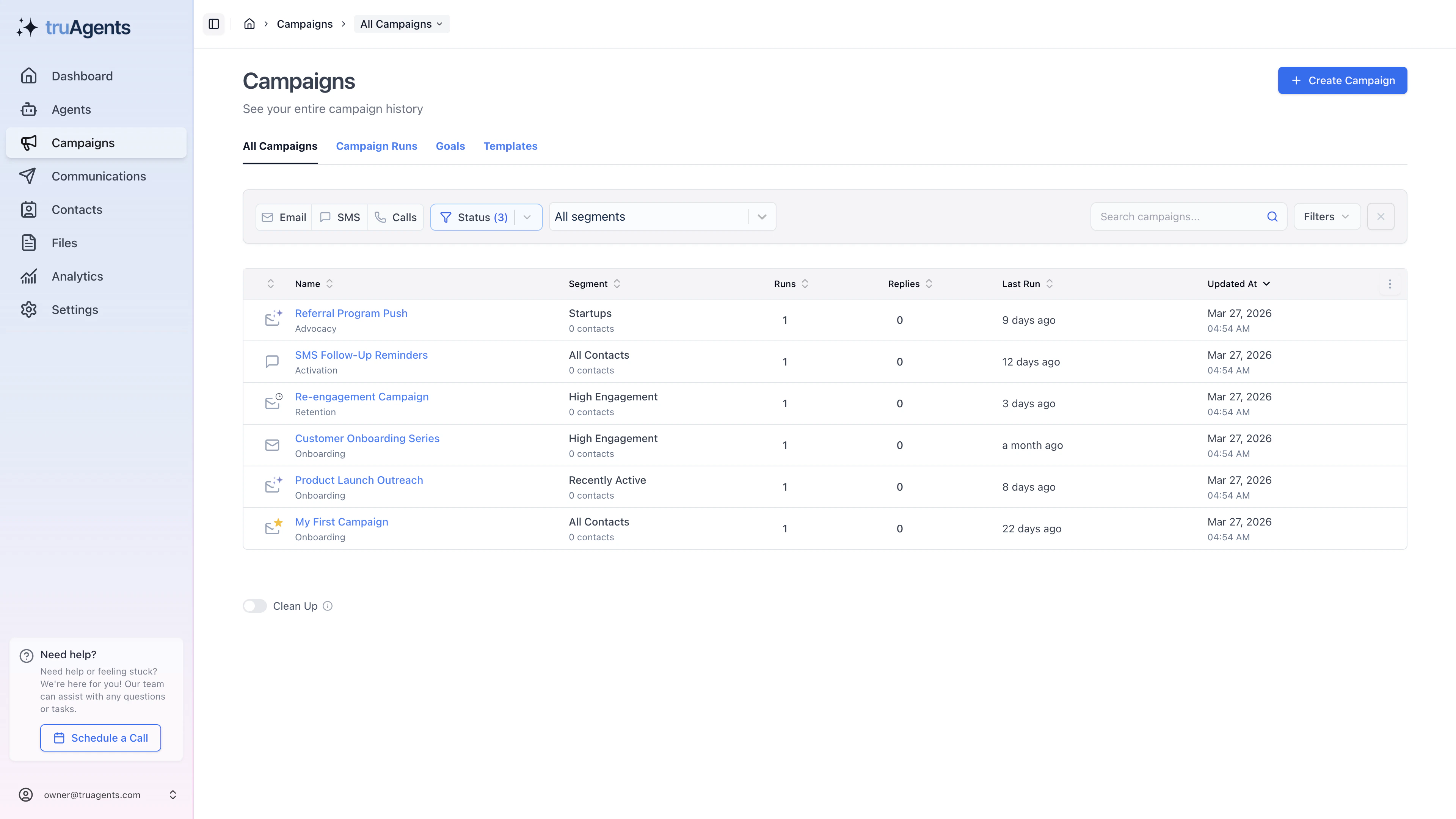
What the current campaign form tells us
The first campaign setup likely depends on these decisions:- campaign name
- segment or audience selection
- channel selection
- writer and reviewer selection
- instructions for initial outreach
- response behavior
- template use for email flows
- active or inactive state
Campaign-design checklist
Recommended first campaign strategy
Keep the first campaign narrow
Use a controlled segment and a clear business purpose. The goal of the first campaign should be validation, not maximum scale.Prefer clarity over flexibility
A simple first campaign makes it easier to understand whether issues come from the audience, the instructions, the agent setup, or the channel configuration.Treat responses as part of the design
The campaign form already suggests that initial outreach and response behavior are tightly connected. Do not think only about the first outbound message.A practical first campaign recipe
- Pick one segment you can explain in a sentence.
- Choose one channel with validated setup.
- Use one writer the team already understands.
- Keep the first instructions narrow and goal-driven.
- Decide whether responses should be on or off before you save.
- Make sure another teammate could read the campaign later and understand what it is trying to do.
Example: first campaign that is easy to debug
A good first campaign is:- small enough that mistakes are survivable
- specific enough that “success” is obvious
- simple enough that failures can be traced back to setup, audience, or instructions
Warning signs before launch
- the audience is broad because “we can narrow it later”
- two or three moving parts changed at once and nobody knows which one matters
- the campaign is live before the team agrees on how to review runs and drafts
Success checklist
- A valid segment exists and is selected.
- The chosen channel has enough supporting setup to run safely.
- The required writer and reviewer choices are understood.
- The campaign can be saved and is understandable to another teammate reviewing it later.
- The team knows whether the campaign should stay inactive for review or move toward a first run.
What we should expand later
- Differences between auto and manual initial message modes
- Response behavior and responder settings
- How file sets, templates, and static content affect campaign output
- When to use goals and how campaign runs should be reviewed after launch