

Summary
The onboarding flow is the first structured setup step after account access. Its job is to help you create the organization context that the rest of TruAgents depends on. In the current app, onboarding centers on creating the organization, confirming basic organization details, and getting you into the main product experience.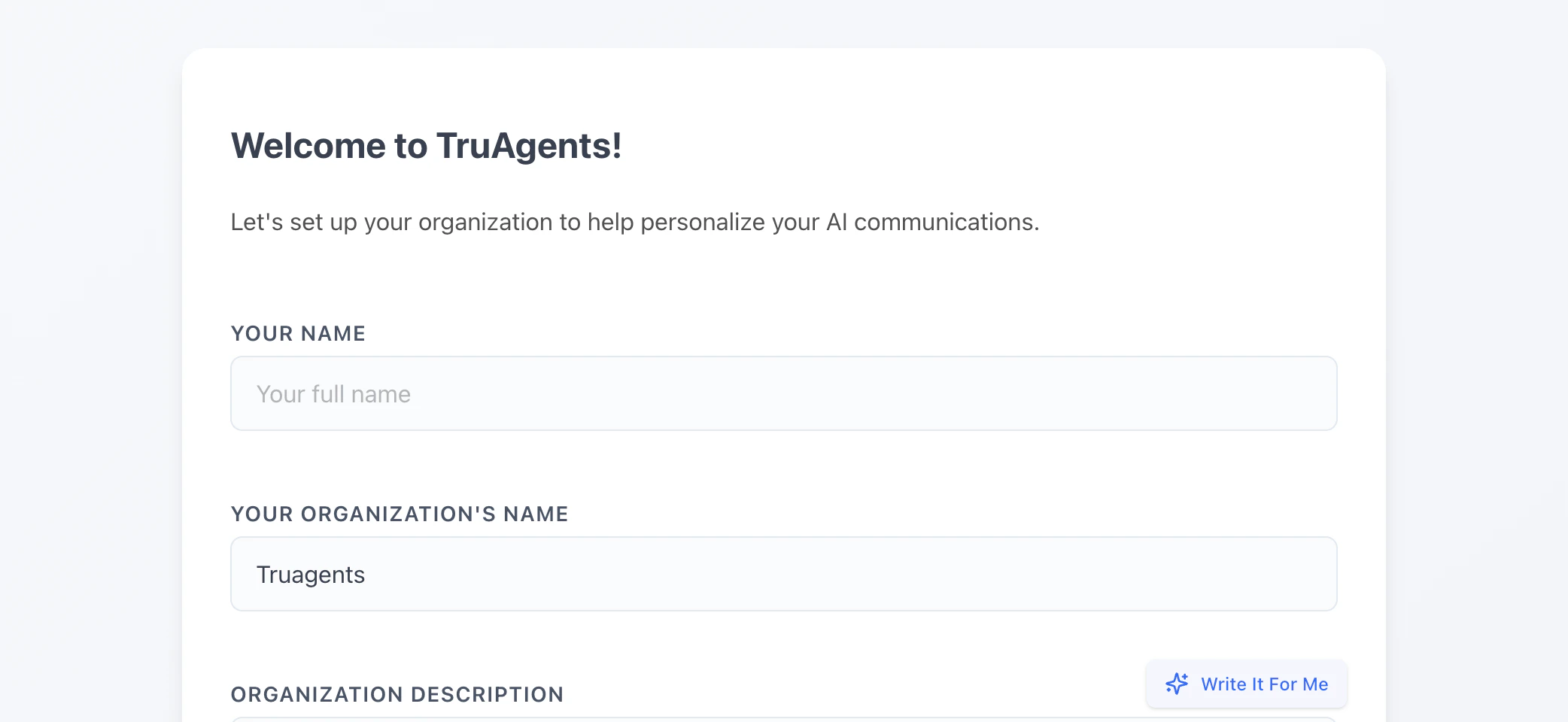
Who this is for
- First-time owners or admins
- Internal teammates helping a customer launch
- Anyone validating a clean setup flow
Where to find it in the app
- Onboarding
- Dashboard
- Settings
What happens during onboarding
1. Create the organization
The onboarding flow collects core organization details and creates the operating space your teammates, contacts, campaigns, and settings will live inside. The form currently asks for:- your name
- your organization name
- an organization description that helps shape later AI-assisted communication behavior
2. Confirm user details
The app also uses onboarding to establish the initial user context, including the teammate name associated with the organization.3. Transition into the main app
After organization creation succeeds, the app reinitializes the session context and sends you into the main experience, where the next setup steps continue.What to decide during onboarding versus later
What to do immediately after onboarding
Onboarding alone is not enough to make the workspace operational. After the organization exists, the next priority steps are:- Review organization-level settings.
- Configure email and any other required channel infrastructure.
- Import contacts or connect data sources.
- Create your first agent and campaign.
Recommended first 15 minutes after onboarding
- Open Settings and confirm the organization name, slug, and security expectations.
- Check Settings → Email and Settings → SMS so you know what is ready now versus later.
- Open Dashboard and confirm the workspace now gives you a clear next path instead of a dead end.
- Decide whether your first test will use real contact data or a small controlled sample.
Example: good onboarding outcome
At the end of onboarding, a strong setup state looks like this:- one clear owner or admin is responsible for finishing setup
- the organization identity is correct enough that teammates will recognize it
- the next operational step is obvious
- nobody mistakes “organization created” for “workspace fully launch-ready”
Success checklist
- The organization was created successfully.
- The first owner or admin can access the main app after onboarding.
- The dashboard is accessible and the workspace no longer feels like a first-run dead end.
- The team knows which settings page to visit next.
Common gaps to document more deeply later
- Domain-based defaults and how the app derives initial organization hints
- What happens when a user belongs to multiple organizations later
- What data should be finalized during onboarding versus deferred to settings