> ## Documentation Index
> Fetch the complete documentation index at: https://docs.truagents.com/llms.txt
> Use this file to discover all available pages before exploring further.
# Quickstart
> The shortest credible path from first access to a usable TruAgents workspace.
## Summary
Use this guide when you want the fastest path from first login to a workspace that is ready for a controlled first campaign run.
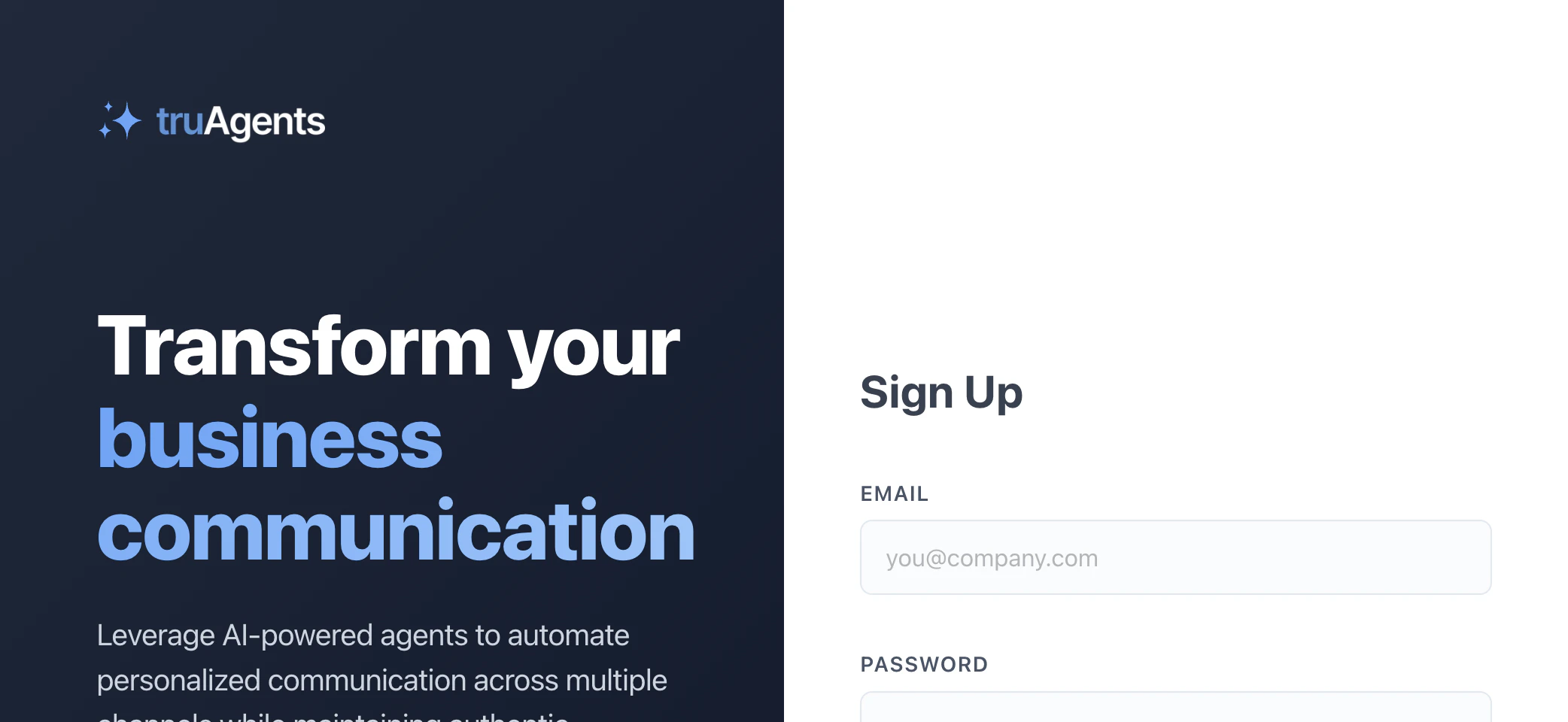
If you are coming in through the self-serve path, account creation starts on the sign-up page and then moves directly into organization onboarding.
 ## Who this is for
New users setting up TruAgents for the first time.
## What "done" looks like
* your organization exists and basic settings are complete
* your core channel setup is in place
* you have contacts to work with
* you have at least one agent and one campaign
* you can launch and inspect a first run without guessing where to look next
## Fastest setup path
1. Complete organization setup.
2. Check the dashboard to see whether you are still in getting-started mode or already in going-live mode.
3. Connect the minimum communication infrastructure you need, especially email and SMS setup if those channels are in scope.
4. Import contacts through a file or data source path.
5. Create your first agent.
6. Create your first campaign.
7. Launch a narrow first run and inspect the results in **Communications** and campaign-run views.
## Who this is for
New users setting up TruAgents for the first time.
## What "done" looks like
* your organization exists and basic settings are complete
* your core channel setup is in place
* you have contacts to work with
* you have at least one agent and one campaign
* you can launch and inspect a first run without guessing where to look next
## Fastest setup path
1. Complete organization setup.
2. Check the dashboard to see whether you are still in getting-started mode or already in going-live mode.
3. Connect the minimum communication infrastructure you need, especially email and SMS setup if those channels are in scope.
4. Import contacts through a file or data source path.
5. Create your first agent.
6. Create your first campaign.
7. Launch a narrow first run and inspect the results in **Communications** and campaign-run views.
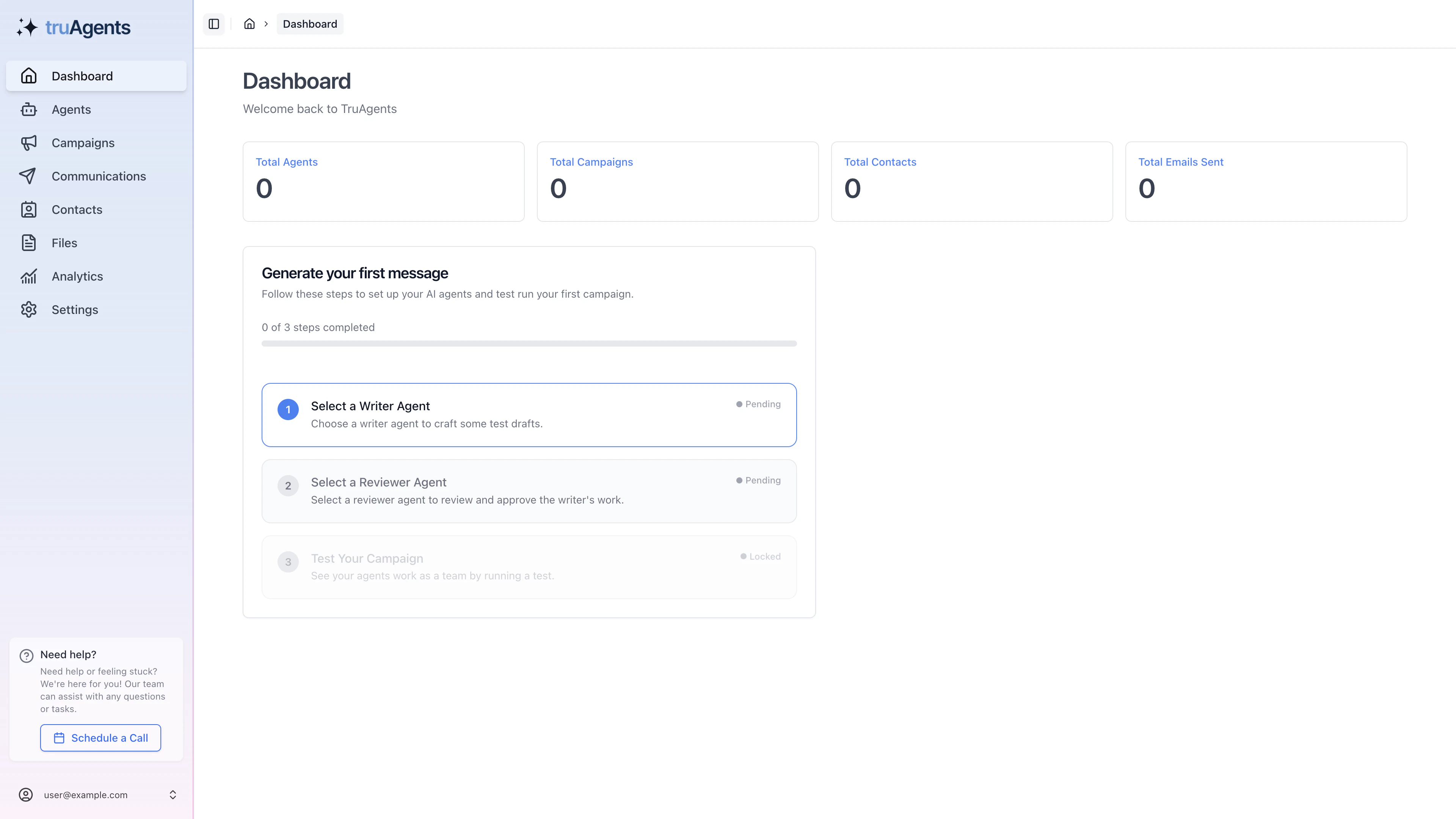 A new workspace lands on a dashboard that makes the next setup steps explicit instead of leaving you to guess where to go first.
## Where most teams actually slow down
The fastest path usually stops being fast in just three places:
* the dashboard still shows setup-state guidance, so the team starts campaign work too early
* channel setup is only partially complete, especially for email
* the first campaign is technically created but not actually launch-ready
If you want speed without confusion, treat those three checkpoints as real gates rather than optional cleanup.
## Recommended first-run strategy
* keep the audience small
* use one clear campaign goal
* avoid trying every channel at once
* inspect drafts, run history, and communication detail before scaling up
## Where you will spend time in the app
* **Dashboard**
* **Settings**
* **Contacts**
* **Agents**
* **Campaigns**
* **Communications**
* **Analytics**
## Simple version
Set up the organization, connect the basics, import contacts, create one agent, create one campaign, then run something small and inspect it carefully.
## Related pages
* [How TruAgents works](/overview/how-truagents-works)
* [Onboard your organization](/getting-started/onboarding-your-organization)
* [Connect email and SMS](/getting-started/connect-email-and-sms)
* [Use the dashboard](/workflows/use-the-dashboard)
* [Launch and monitor your first run](/getting-started/launch-and-monitor-your-first-run)
A new workspace lands on a dashboard that makes the next setup steps explicit instead of leaving you to guess where to go first.
## Where most teams actually slow down
The fastest path usually stops being fast in just three places:
* the dashboard still shows setup-state guidance, so the team starts campaign work too early
* channel setup is only partially complete, especially for email
* the first campaign is technically created but not actually launch-ready
If you want speed without confusion, treat those three checkpoints as real gates rather than optional cleanup.
## Recommended first-run strategy
* keep the audience small
* use one clear campaign goal
* avoid trying every channel at once
* inspect drafts, run history, and communication detail before scaling up
## Where you will spend time in the app
* **Dashboard**
* **Settings**
* **Contacts**
* **Agents**
* **Campaigns**
* **Communications**
* **Analytics**
## Simple version
Set up the organization, connect the basics, import contacts, create one agent, create one campaign, then run something small and inspect it carefully.
## Related pages
* [How TruAgents works](/overview/how-truagents-works)
* [Onboard your organization](/getting-started/onboarding-your-organization)
* [Connect email and SMS](/getting-started/connect-email-and-sms)
* [Use the dashboard](/workflows/use-the-dashboard)
* [Launch and monitor your first run](/getting-started/launch-and-monitor-your-first-run)